
MarktWeltSeller guideدليل البائعين
Download (zip)تنزيل (zip)
MarktWelt logo
Guide · Vendors · Helpدليل · البائعون · المساعدة

MarktWelt
Seller Guide
دليل البائعين في
MarktWelt

A step-by-step tour for sellers and restaurants on marktwelt.com: apply, verify your licence, list products, fulfil orders and get paid.جولة خطوة بخطوة للبائعين والمطاعم على marktwelt.com: قدّم طلبك ووثّق رخصتك واعرض منتجاتك ونفّذ الطلبات واستلم أموالك.
Start the guideابدأ الدليلPress M for contentsاضغط M لفتح المحتوياتEnglish / العربيةالعربية / English
Noor Tech · Dubai, United Arab Emirates · November 2026Noor Tech · دبي، الإمارات العربية المتحدة · نوفمبر 2026
marktwelt.com
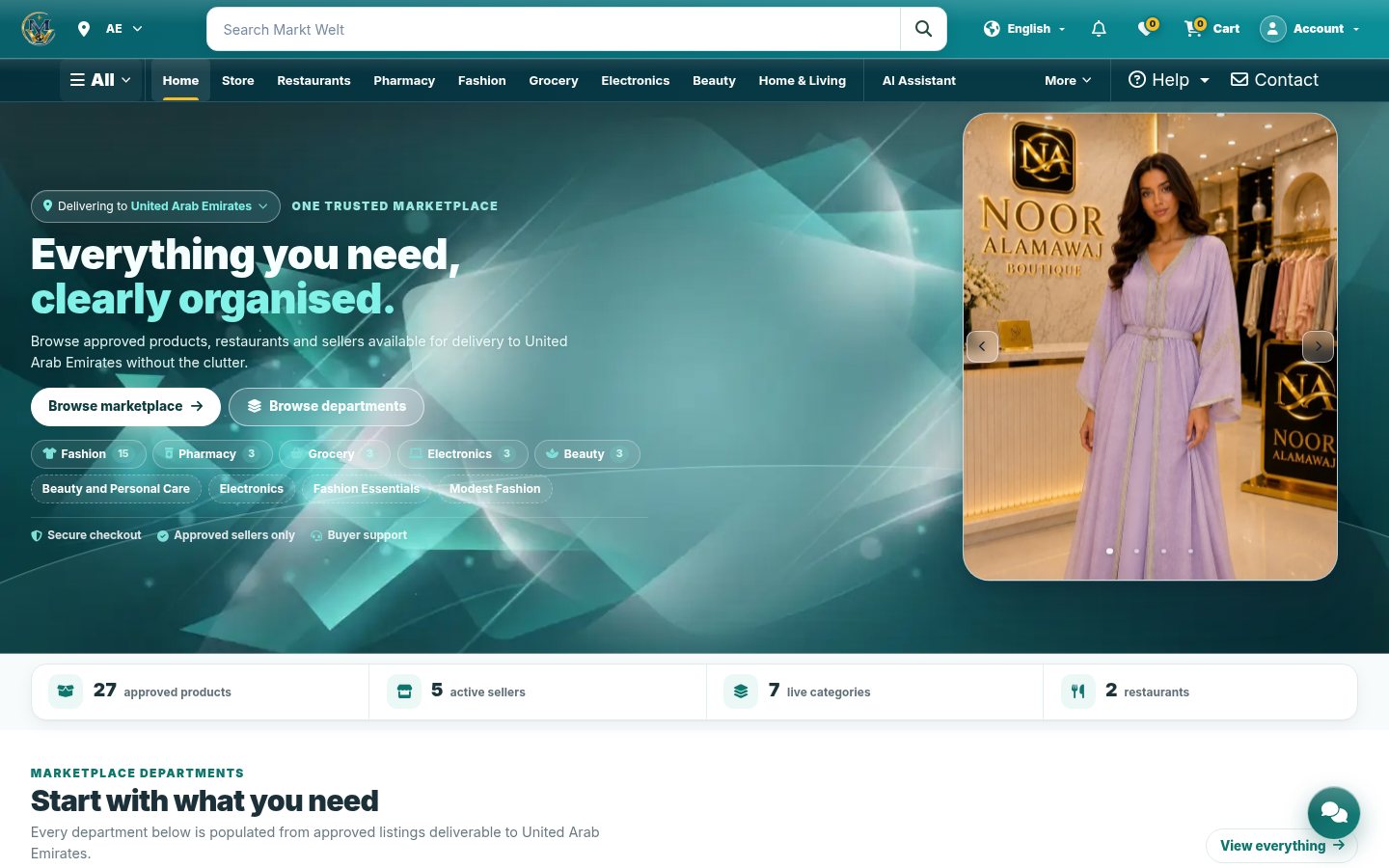
MarktWelt home page
Welcomeمرحبًا

One trusted marketplace for every marketسوق موثوق واحد لكل الأسواق

MarktWelt is a multi-vendor marketplace. Approved sellers and restaurants list products; customers order them for delivery across the UAE and abroad.MarktWelt سوق إلكتروني متعدد البائعين. يعرض البائعون والمطاعم المعتمدون منتجاتهم، ويطلبها العملاء للتوصيل داخل الإمارات وخارجها.

27approved productsمنتجًا معتمدًا
5active sellersبائعين نشطين
7live categoriesفئات نشطة
2restaurantsمطعمان

Live counts from the marktwelt.com home page on 1 Nov 2026. They change as sellers add listings.أرقام مباشرة من الصفحة الرئيسية لموقع marktwelt.com بتاريخ 1 نوفمبر 2026، وتتغيّر مع إضافة البائعين لمنتجات جديدة.
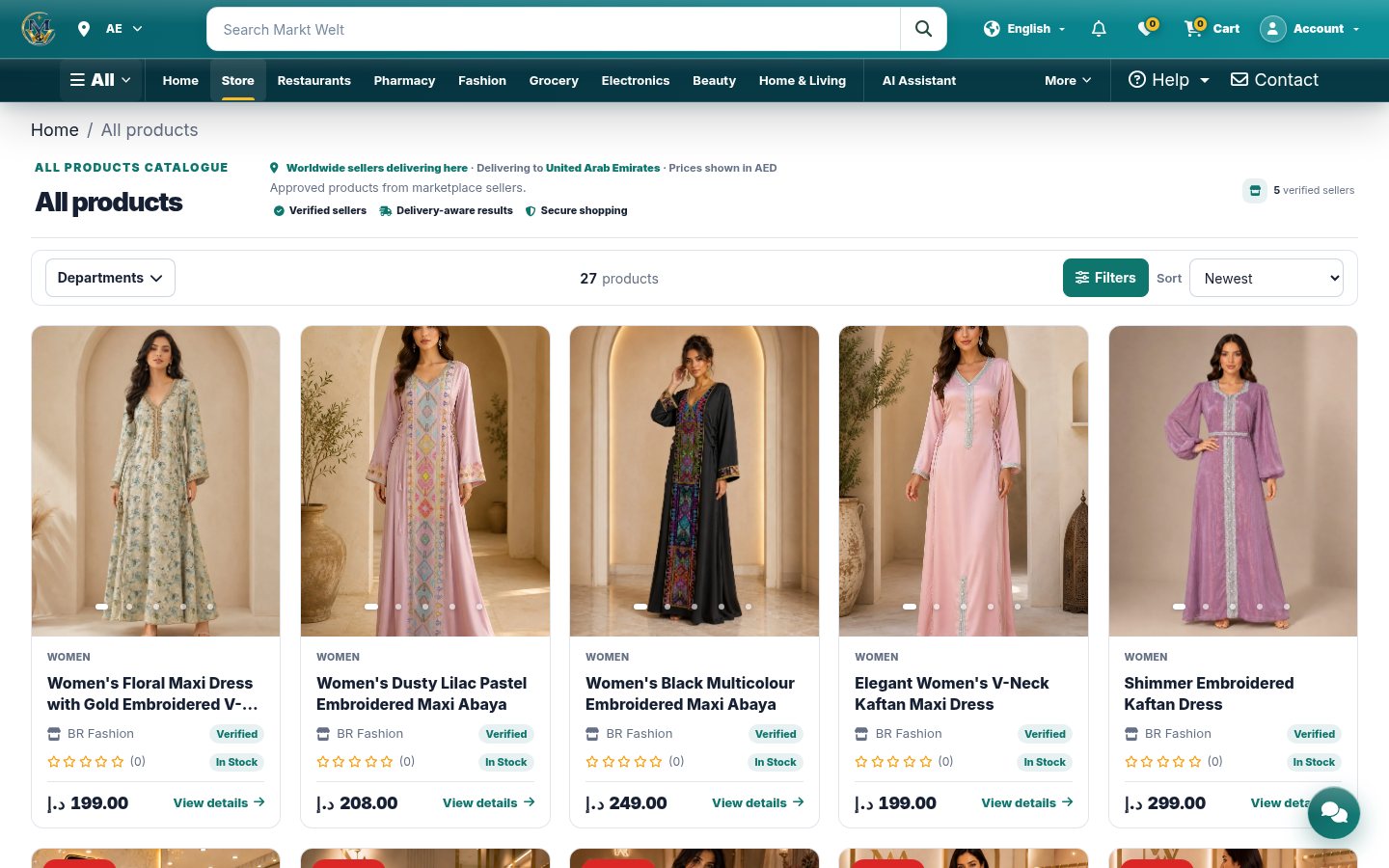
marktwelt.com/store/
All products catalogue
FashionالأزياءPharmacyالصيدليةGroceryالبقالةElectronicsالإلكترونياتBeautyالجمالSoftware & Digitalالبرمجيات والمنتجات الرقميةHome & Livingالمنزل والمعيشةSports, Automotive, Toys, Books, Petsالرياضة، السيارات، الألعاب، الكتب، الحيوانات الأليفةRestaurantsالمطاعم
Who it servesلمن صُمّمت

Shoppers and sellers, one account systemمتسوّقون وبائعون ونظام حسابات واحد

Customersالعملاء

Browse, order, pay (card, wallet or cash on delivery), track and return items, and chat with support.تصفّح واطلب وادفع (بطاقة أو محفظة أو الدفع عند الاستلام)، وتتبّع الطلبات وأعد المنتجات وتحدّث مع الدعم.
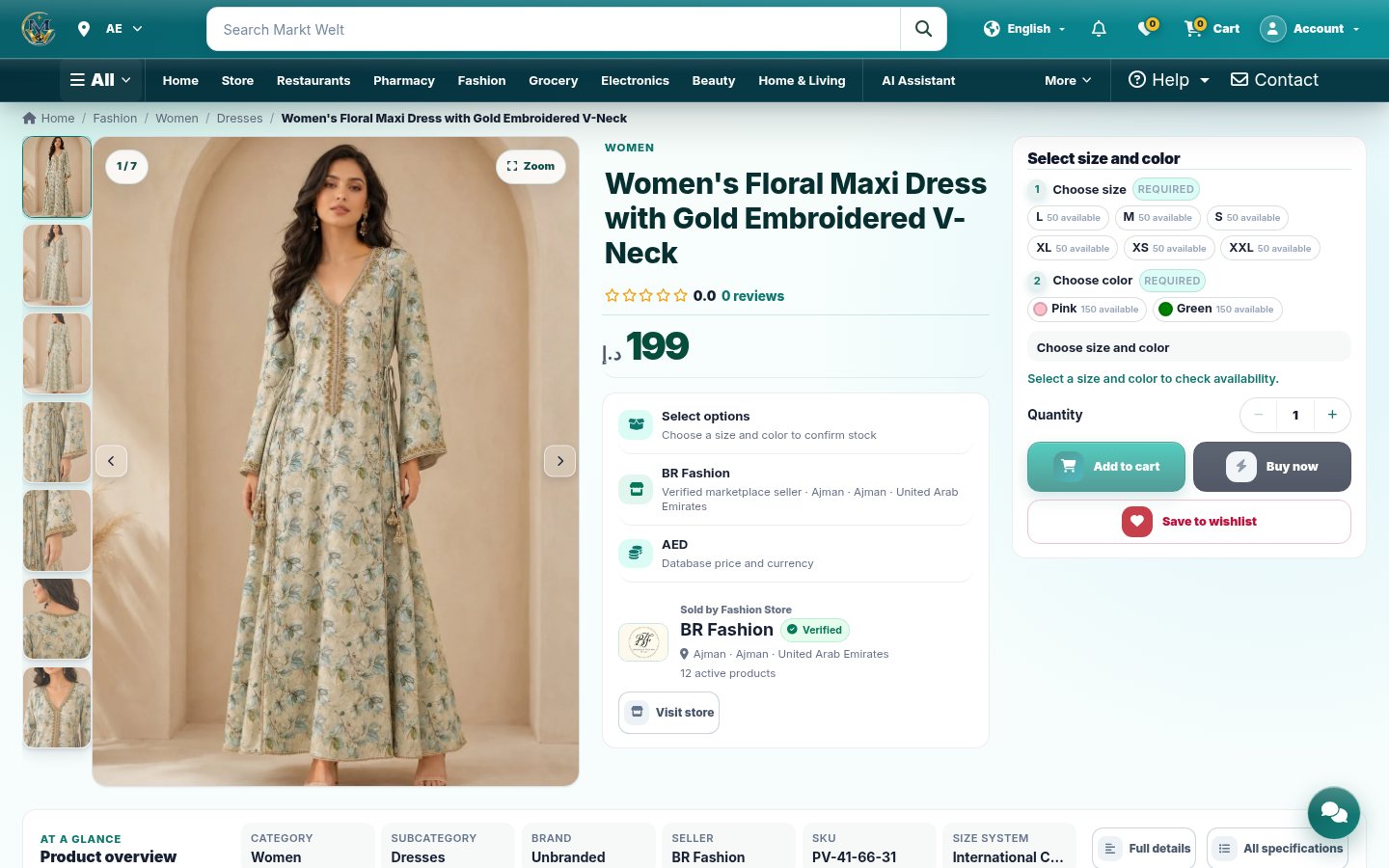
Product page

Vendors & restaurantsالبائعون والمطاعم

Apply as a seller, verify a trade licence, list products, fulfil orders, run a POS and receive payouts.قدّم طلب بائع ووثّق الرخصة التجارية، واعرض المنتجات ونفّذ الطلبات وشغّل نقاط البيع واستلم المدفوعات.

Vendor storefront
Sign-in page: “One account for every role”. Staff and courier accounts are created by invitation; vendor accounts start with the seller application.صفحة الدخول: «حساب واحد لكل الأدوار». حسابات الفريق والمندوبين تُنشأ بدعوة، وحسابات البائعين تبدأ بطلب البائع.
Delivery factsحقائق التوصيل

All 7 emirates, plus international shippingالإمارات السبع كلها، مع شحن دولي

Dubai, Abu Dhabi, Sharjah, Ajman, Umm Al Quwain, Ras Al Khaimah and Fujairah. International options and costs appear at checkout.دبي وأبوظبي والشارقة وعجمان وأم القيوين ورأس الخيمة والفجيرة. تظهر خيارات الشحن الدولي وتكاليفه عند الدفع.

0–1days to Dubai (same or next day)يوم إلى دبي (نفس اليوم أو التالي)
1day to Sharjah, Ajman, Abu Dhabi, Al Ainيوم إلى الشارقة وعجمان وأبوظبي والعين
~45min free restaurant delivery, 7 emiratesدقيقة توصيل مجاني للمطاعم في الإمارات السبع
Noneلا يوجدdaily order cut-off timeموعد نهائي يومي للطلب

Fees vary by locationالرسوم حسب الموقع

The delivery fee and the free-delivery minimum depend on your address. Checkout shows the exact amounts. DHL Express inside the UAE starts from AED 12.تعتمد رسوم التوصيل والحد الأدنى للتوصيل المجاني على عنوانك، وتعرض صفحة الدفع المبالغ الدقيقة. يبدأ DHL Express داخل الإمارات من 12 درهمًا.

Delivery partnersشركاء التوصيل

DHL Express, Aramex or Noon Rider on Demand, depending on the seller and item. Some sellers deliver themselves.DHL Express أو Aramex أو Noon Rider on Demand حسب البائع والمنتج. بعض البائعين يوصلون بأنفسهم.

Free cash on deliveryالدفع عند الاستلام مجانًا

Where available (for example with Noon Rider on Demand), cash on delivery costs nothing extra.حيثما يتوفر (مثل Noon Rider on Demand) لا يكلّف الدفع عند الاستلام أي رسوم إضافية.

How to use the guideطريقة استخدام الدليل

Move around in the way that suits your deviceتنقّل بالطريقة التي تناسب جهازك

Keyboardلوحة المفاتيح

← →, Space, PgUp/PgDn, Home/End. M opens contents, L switches language, Esc closes.← → وSpace وPgUp/PgDn وHome/End. المفتاح M يفتح المحتويات وL يبدّل اللغة وEsc يغلق.

Touchاللمس

Swipe left or right on a phone or tablet. Long slides scroll up and down on small screens.اسحب يمينًا أو يسارًا على الهاتف أو الجهاز اللوحي. الشرائح الطويلة تُمرَّر عموديًا على الشاشات الصغيرة.

Contents menuقائمة المحتويات

The Contents button lists every section and slide. Tap one to jump straight to it.زر المحتويات يعرض كل الأقسام والشرائح. اضغط على أي منها للانتقال إليها مباشرة.

English / العربيةEnglish / العربية

The language button switches every slide to Arabic with a right-to-left layout, and back.زر اللغة يحوّل كل الشرائح إلى العربية باتجاه من اليمين إلى اليسار، ثم يعيدها.

Slide numbersأرقام الشرائح

The footer shows your position and progress. Links like #12 open a slide directly.يعرض الشريط السفلي موقعك وتقدّمك. الروابط مثل #12 تفتح الشريحة مباشرة.

Safe by designآمن بطبيعته

No passwords, card numbers or customer data appear in this guide.لا تظهر في هذا الدليل أي كلمات مرور أو أرقام بطاقات أو بيانات عملاء.

←→SpaceHomeEndMcontentsالمحتوياتLlanguageاللغةEsccloseإغلاق
1 Welcome1 مرحبًا2 Vendors2 البائعون3 Help & support3 المساعدة والدعم
03
Section 3القسم 3

Vendorsالبائعون

Everything a seller or restaurant does: apply, get verified, list products, fulfil orders, run the POS and get paid.كل ما يفعله البائع أو المطعم: التقديم والتوثيق وعرض المنتجات وتنفيذ الطلبات وتشغيل نقاط البيع واستلام المدفوعات.

Sign-upالتسجيلTrade licenceالرخصة التجاريةDashboardلوحة التحكمProducts & imagesالمنتجات والصورOrdersالطلباتPOS & restaurantsنقاط البيع والمطاعمDeliveryالتوصيلPayoutsالمدفوعات
Sign-upالتسجيل

Apply once with the 7-step applicationقدّم مرة واحدة عبر طلب من 7 خطوات

Sign in, then open Become a Markt Welt Seller at /vendor/become-vendor/.سجّل الدخول ثم افتح كن بائعًا في Markt Welt عبر /vendor/become-vendor/.

  1. Business identity: business name and vertical.هوية النشاط: اسم النشاط والقطاع.
  2. Business location and selling markets: use Detect location or choose country, region, city and area.موقع النشاط وأسواق البيع: استخدم تحديد الموقع أو اختر الدولة والمنطقة والمدينة والحي.
  3. Contact details: business email and phone, verified with a 6-digit code by SMS or automated call.بيانات التواصل: بريد النشاط وهاتفه، ويُوثَّق الهاتف برمز من 6 أرقام عبر رسالة أو مكالمة آلية.
  4. Tax and verification: trade licence number and trade licence file. Brand profile: logo.الضريبة والتوثيق: رقم الرخصة التجارية وملفها. ملف العلامة: الشعار.
  5. Review and submit: confirm the declaration, then Submit for Approval.المراجعة والإرسال: أكّد الإقرار ثم اضغط إرسال للموافقة.
7steps, with a live completion barخطوات مع شريط تقدّم مباشر

Drafts are privateالمسودات خاصة

Only Submit for Approval sends the application for review. After submission it is locked while the team reviews your documents.زر إرسال للموافقة وحده يرسل الطلب للمراجعة. بعد الإرسال يُقفل الطلب أثناء مراجعة الفريق لمستنداتك.

Add verticals laterأضف قطاعات لاحقًا

Selling in more areas? Add verticals later from the seller dashboard (/vendor/verticals/).تبيع في مجالات أخرى؟ أضف قطاعات لاحقًا من لوحة البائع (/vendor/verticals/).

Staff and courier accounts are invitation-only. Vendor accounts always begin with this application.حسابات الفريق والمندوبين بالدعوة فقط، وحسابات البائعين تبدأ دائمًا بهذا الطلب.
Verificationالتوثيق

Track your application until approvalتابع طلبك حتى الموافقة

The Vendor Application Status page shows where you are, what to do and what happens next.تعرض صفحة حالة طلب البائع موقعك وما عليك فعله وما سيحدث بعد ذلك.
Submittedمُرسلwait for a decisionانتظر القرار
Admin reviewمراجعة الإدارةdocuments and business verifiedتوثيق المستندات والنشاط
Needs attentionيحتاج إلى إجراءread the note, update, resubmitاقرأ الملاحظة وحدّث وأعد الإرسال
ApprovedمقبولGo to Vendor Dashboardانتقل إلى لوحة البائع
Suspended or rejected? The status page offers Appeal this decision or Review and reapply.عند الإيقاف أو الرفض تتيح صفحة الحالة الطعن في القرار أو المراجعة وإعادة التقديم.
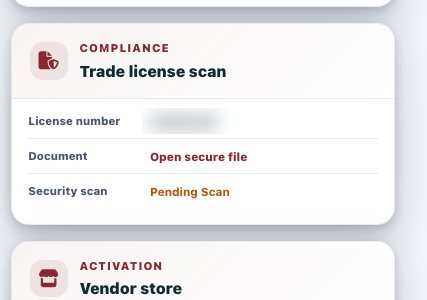
Admin view of a trade licence scan, number blurred

What reviewers see: the licence number (blurred here), a secure link to the file and its security scan status.ما يراه المراجعون: رقم الرخصة (مخفي هنا) ورابط آمن للملف وحالة الفحص الأمني.

Dashboardلوحة التحكم

Your seller workspaceمساحة عمل البائع

Open /vendor/dashboard/. The side menu groups every seller tool.افتح /vendor/dashboard/. تجمع القائمة الجانبية كل أدوات البائع.

Catalogueالكتالوج

My Products, Add Product, Promotions, Advertising.منتجاتي، إضافة منتج، العروض، الإعلانات.

Sellingالبيع

Seller Orders, Buyer Messages, Food Orders, Kitchen Display.طلبات البائع، رسائل المشترين، طلبات الطعام، شاشة المطبخ.

Teamالفريق

Staff & Roles: invite staff, create roles and grant POS access.الموظفون والأدوار: ادعُ الموظفين وأنشئ الأدوار وامنح صلاحية نقاط البيع.

Businessالأعمال

Payout account, Tax documents, Customs declarations, warehouses.حساب المدفوعات، المستندات الضريبية، البيانات الجمركية، المستودعات.
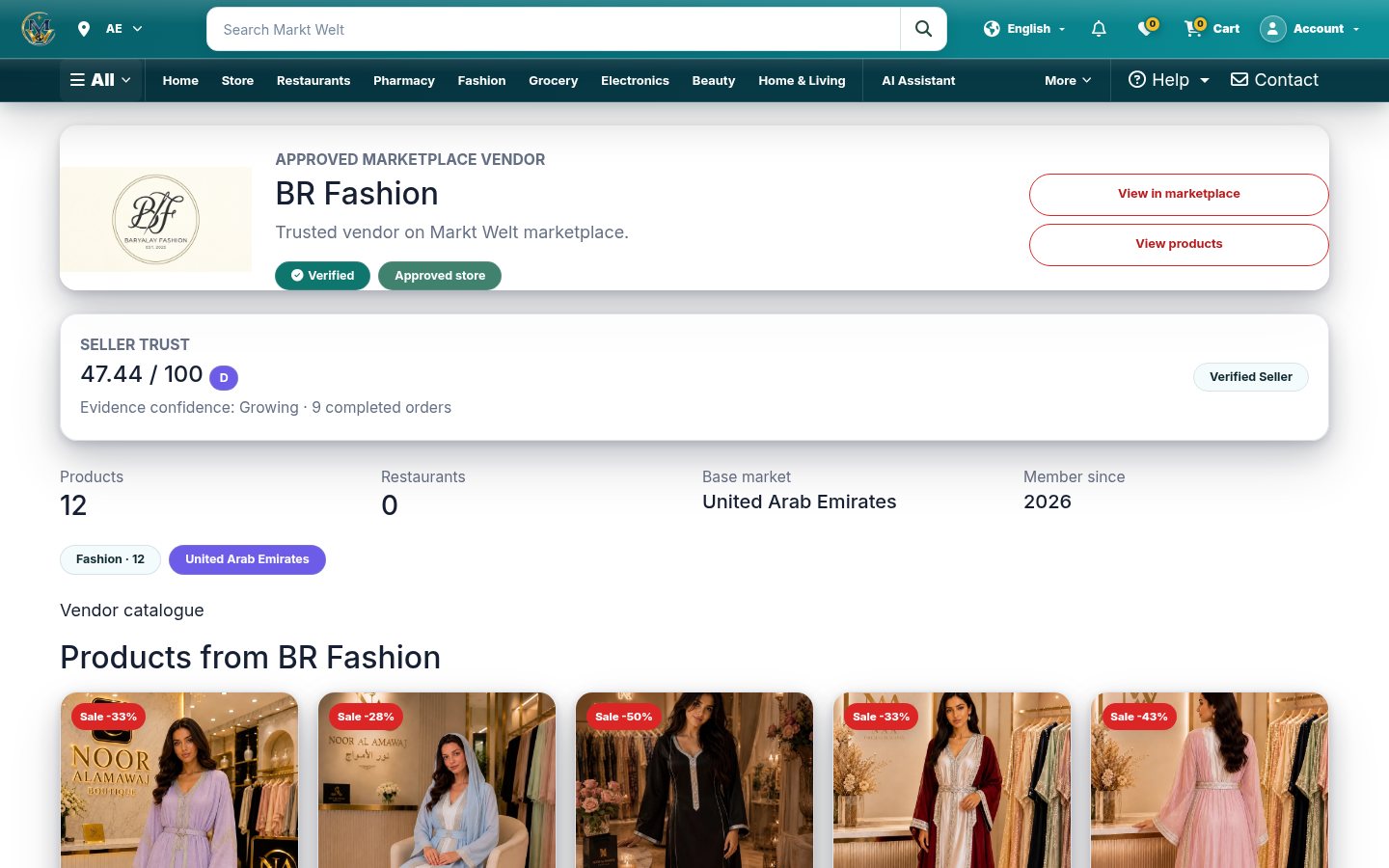
marktwelt.com/vendor/store/…
A public vendor storefront

Every approved vendor gets a public storefront at /vendor/store/<slug>/ with a seller trust score.يحصل كل بائع معتمد على واجهة متجر عامة عبر /vendor/store/<slug>/ مع مؤشر ثقة البائع.
Productsالمنتجات

The product upload wizardمعالج رفع المنتجات

Go to Add Product (/vendor/products/upload-wizard/). Drafts stay private; submission always sends the product to admin review.اذهب إلى إضافة منتج (/vendor/products/upload-wizard/). تبقى المسودات خاصة، والإرسال يحيل المنتج دائمًا إلى مراجعة الإدارة.

CategoryالفئةChoose a category and subcategoryاختر الفئة والفئة الفرعية
Sizes & coloursالمقاسات والألوانPick a regional size system, sizes and coloursاختر نظام المقاسات الإقليمي والمقاسات والألوان
Price & stockالسعر والمخزونSelling price, compare-at price, stock per variant, low-stock thresholdسعر البيع وسعر المقارنة والمخزون لكل نوع وحدّ انخفاض المخزون
GalleryالمعرضUpload images for each colourارفع صورًا لكل لون
Final reviewالمراجعة النهائيةCheck the customer-facing listing and submitراجع صفحة المنتج كما يراها العميل وأرسلها

Variants are generatedتوليد الأنواع تلقائيًا

Select at least one size and one colour; every size × colour combination becomes a sellable variant you can adjust.اختر مقاسًا ولونًا واحدًا على الأقل؛ يصبح كل مزيج مقاس × لون نوعًا قابلًا للبيع يمكنك تعديله.

Marketsالأسواق

Choose where each product can be sold on Markets (/vendor/products/<id>/markets/).حدّد أماكن بيع كل منتج من صفحة الأسواق (/vendor/products/<id>/markets/).

Disable or enableإيقاف أو تفعيل

Hide a product at any time with Disable, and bring it back with Enable.أخفِ المنتج في أي وقت بزر إيقاف وأعده بزر تفعيل.

Productsالمنتجات

Organise the gallery by colourنظّم المعرض حسب اللون

  1. Add the product’s colours first. Every gallery image belongs to one colour.أضف ألوان المنتج أولًا. كل صورة في المعرض تنتمي إلى لون واحد.
  2. Drag images here or click to choose, or press Select Images.اسحب الصور هنا أو انقر للاختيار، أو اضغط اختيار الصور.
  3. Set the main image and a colour cover for each colour.حدّد الصورة الرئيسية وغلاف اللون لكل لون.
  4. Tick unwanted images and use Delete selected, or remove one image from its colour.حدّد الصور غير المرغوبة واستخدم حذف المحدد، أو أزل صورة واحدة من لونها.
1colour per gallery imageلون لكل صورة في المعرض
Mainرئيسيةimage shown first in listingsالصورة الأولى في القوائم

Safe uploadsرفع آمن

Server validation, ownership checks, CSRF protection and secure image validation run on every upload.يجري التحقق على الخادم وفحص الملكية وحماية CSRF والتحقق الآمن من الصور مع كل عملية رفع.

Images without a colourصور بلا لون

The gallery lists any image that has no colour yet, so you can assign or delete it.يعرض المعرض أي صورة لم يُحدَّد لها لون بعد، لتعيينها أو حذفها.

Ordersالطلبات

From new order to deliveredمن طلب جديد حتى التسليم

  1. Open Seller Orders (/vendor/orders/) and pick an order. Use Accept and process.افتح طلبات البائع (/vendor/orders/) واختر طلبًا. اضغط قبول ومعالجة.
  2. Enter the packed weight (grams) and parcel count, then Load carrier quotes.أدخل الوزن بعد التغليف (غرام) وعدد الطرود ثم اضغط تحميل عروض الشحن.
  3. Pick a quote and Create shipment. Label, pickup and tracking appear on the order.اختر عرضًا ثم أنشئ الشحنة. تظهر البوليصة والاستلام والتتبّع في الطلب.
  4. Delivery is confirmed only by verified carrier proof, not entered by hand.يُؤكَّد التسليم فقط بإثبات موثّق من شركة الشحن، ولا يُدخل يدويًا.

Returnsالمرتجعات

Approve or Reject a return request, create a return shipment, then record receipt as restockable or not.وافق على طلب الإرجاع أو ارفضه، وأنشئ شحنة الإرجاع ثم سجّل الاستلام قابلًا لإعادة التخزين أو لا.

Message buyerراسل المشتري

Talk to the customer about an order without leaving the order page.تواصل مع العميل بشأن الطلب دون مغادرة صفحة الطلب.

Carriers & warehousesشركات الشحن والمستودعات

DHL Express, Aramex and Noon Rider on Demand. Set warehouses and their delivery coverage under Warehouses.DHL Express وAramex وNoon Rider on Demand. حدّد المستودعات ونطاق تغطيتها من المستودعات.

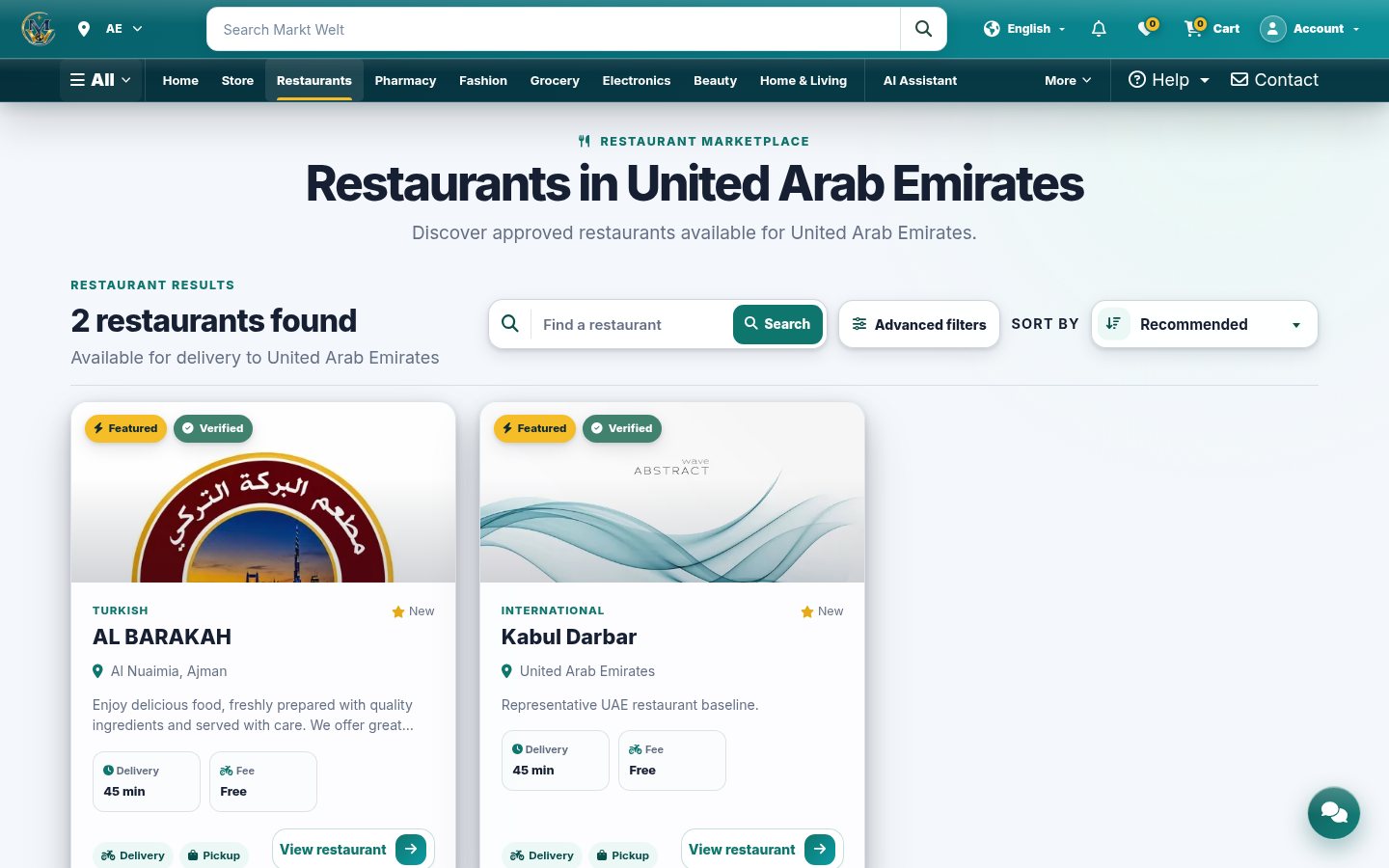
marktwelt.com/restaurants/
Public restaurants list
Restaurantsالمطاعم

Set up a restaurant and its menuجهّز مطعمك وقائمة طعامه

Freeمجانيdelivery across all 7 emiratesتوصيل في الإمارات السبع
~45minutes, approximately. Pickup tooدقيقة تقريبًا، والاستلام متاح
  • Restaurants → Add Restaurant, then build the Menu: categories, items, add-ons, combos and schedules.المطاعم ← إضافة مطعم ثم أنشئ القائمة: الفئات والأصناف والإضافات والوجبات المجمّعة والجداول.
  • Add branches, opening hours and delivery zones. Zones are reviewed by the MarktWelt team.أضف الفروع وساعات العمل ومناطق التوصيل. يراجع فريق MarktWelt المناطق.
  • Mark an item sold out with the availability switch.حدّد نفاد الصنف عبر مفتاح التوفّر.
  • Handle Food Orders, the Kitchen Display and Reservations.تابع طلبات الطعام وشاشة المطبخ والحجوزات.

Times can be longer at busy hours. Download the Restaurant Guide from the seller menu.قد تطول المدة في أوقات الذروة. نزّل دليل المطعم من قائمة البائع.

POSنقاط البيع

Run the counter with the MarktWelt POSأدر الكاشير بنظام نقاط البيع من MarktWelt

Open /vendor/pos/ on a tablet or till. Staff need POS access from Staff & Roles; tap Switch to change operator.افتح /vendor/pos/ على جهاز لوحي أو جهاز كاشير. يحتاج الموظفون صلاحية نقاط البيع من الموظفون والأدوار، واضغط تبديل لتغيير المشغّل.

Sellالبيع

Take orders, fire them to the kitchen and take payment.استقبل الطلبات وأرسلها للمطبخ واستلم الدفع.

Tablesالطاولات

Floor plan, table QR codes and a printable QR sheet.مخطط الصالة ورموز QR للطاولات وورقة QR للطباعة.

Kitchen & queueالمطبخ والطابور

Kitchen tickets to bump, plus the order queue.تذاكر المطبخ للإنجاز، مع طابور الطلبات.

Billsالفواتير

Split by item, amount or seat; merge, move, void items and refund.قسّم حسب الصنف أو المبلغ أو المقعد؛ ادمج وانقل وألغِ الأصناف واسترد.

Shiftsالورديات

Open and close shifts with a Z-report.افتح الورديات وأغلقها مع تقرير Z.

Printingالطباعة

Receipt printer profile and cash-drawer kick.إعداد طابعة الإيصالات وفتح درج النقود.
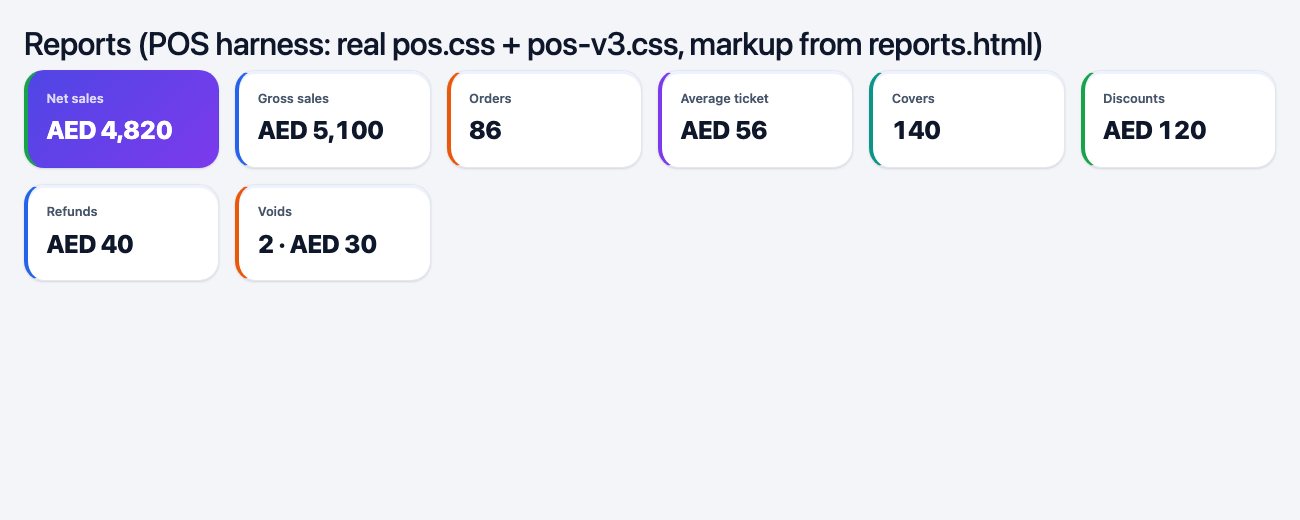
POS reports with v3 stat cards
The POS is installable (web app manifest and service worker) and syncs bills through its own API.يمكن تثبيت نظام نقاط البيع (ملف تطبيق ويب وعامل خدمة) ويزامن الفواتير عبر واجهته البرمجية.
Payoutsالمدفوعات

Connect your payout accountاربط حساب المدفوعات

Ownerالمالكonly the store owner sees Payout accountيرى المالك فقط حساب المدفوعات
StripeConnect onboardingتسجيل Stripe Connect
2 checksفحصانDetails submitted · Payouts enabledتم إرسال البيانات · المدفوعات مفعّلة
Netالصافيgross − discount − platform = payableالإجمالي − الخصم − المنصة = المستحق
  1. A finance administrator assigns and verifies your Stripe connected account.يعيّن مسؤول المالية حساب Stripe المتصل لك ويوثّقه.
  2. Open Payout account (/payments/connect/) and press Continue secure Stripe onboarding.افتح حساب المدفوعات (/payments/connect/) واضغط متابعة التسجيل الآمن في Stripe.
  3. When the page says your connected account is ready, payouts follow the platform payout workflow.عندما تظهر رسالة جاهزية حسابك المتصل، تُصرف المدفوعات وفق سير عمل المنصة.

Financial snapshot per orderملخص مالي لكل طلب

Each seller order shows gross, allocated discount, platform share, net and current payable.يعرض كل طلب بائع الإجمالي والخصم الموزّع وحصة المنصة والصافي والمبلغ المستحق حاليًا.

If Stripe reports missing verification, finish it in Stripe first. Payouts can also be switched off by platform configuration.إذا أبلغ Stripe عن توثيق ناقص فأكمله في Stripe أولًا. ويمكن أيضًا إيقاف المدفوعات من إعدادات المنصة.
06
Section 6القسم 6

Help & supportالمساعدة والدعم

Where customers, sellers and staff go when they need a hand.إلى أين يتوجّه العملاء والبائعون والفريق عند الحاجة إلى المساعدة.

Live chatالدردشة المباشرةSupport ticketsتذاكر الدعمContact usاتصل بناFAQ & policiesالأسئلة والسياساتAppealsالطعون
Support channelsقنوات الدعم

Pick the channel that fitsاختر القناة المناسبة

Live chatالدردشة المباشرة

The round button on every page. AI first, a human on request.الزر الدائري في كل صفحة. الذكاء الاصطناعي أولًا، وموظف عند الطلب.

Support ticketsتذاكر الدعم

/marketplace/support/: create a ticket and follow the replies./marketplace/support/: أنشئ تذكرة وتابع الردود.

Message a sellerراسل البائع

/marketplace/messages/ or Message seller on an order./marketplace/messages/ أو راسل البائع من الطلب.

FAQالأسئلة الشائعة

/faq/ answers accounts, orders, delivery, returns and payments./faq/ يجيب عن الحسابات والطلبات والتوصيل والإرجاع والمدفوعات.

Contact MarktWeltتواصل مع MarktWelt

support@marktwelt.com · +971 55 767 9510 · Al Habtoor Building, Abuhail Center, Dubai. Full details on /contact-us/.support@marktwelt.com · +971 55 767 9510 · مبنى الحبتور، مركز أبوهيل، دبي. التفاصيل الكاملة في /contact-us/.
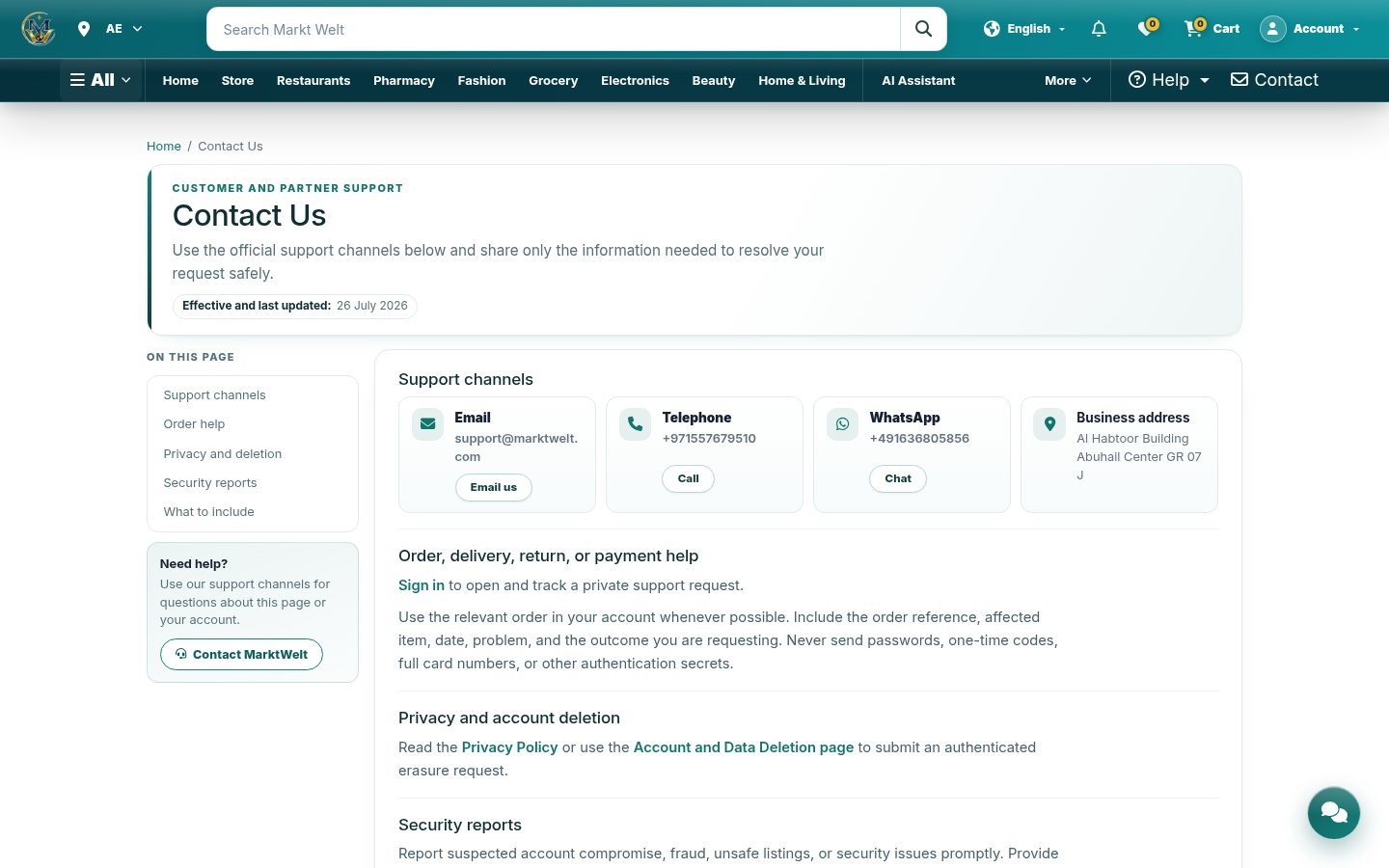
marktwelt.com/contact-us/
Contact us page
Policiesالسياسات

Rules, rights and second chancesالقواعد والحقوق والفرص الثانية

NeedالحاجةPageالصفحة
Delivery areas, times and feesمناطق التوصيل ومواعيده ورسومه/shipping-policy/
Returns, exchanges and refundsالإرجاع والاستبدال والاسترداد/return-policy/
Payment methods and cash on deliveryطرق الدفع والدفع عند الاستلام/payment-policy/
Privacy and termsالخصوصية والشروط/privacy-policy/ · /terms-conditions/
Delete my account and dataحذف حسابي وبياناتي/account-data-deletion/
Appeal a vendor or product-safety decisionالطعن في قرار بائع أو سلامة منتج/marketplace/appeals/
Report an unsafe productالإبلاغ عن منتج غير آمن/marketplace/product-safety/<id>/report/
Never send card numbers, passwords or one-time codes through chat, email, reviews or support notes.لا ترسل أبدًا أرقام البطاقات أو كلمات المرور أو الرموز المؤقتة عبر الدردشة أو البريد أو التقييمات أو ملاحظات الدعم.
MarktWelt logo
End of the guideنهاية الدليل

You’re ready to use MarktWeltأنت جاهز لاستخدام MarktWelt

Sell with confidence. Press M for contents, Home to start again, or L to switch language.بِع بثقة. اضغط M للمحتويات وHome للبدء من جديد وL لتبديل اللغة.

marktwelt.commarktwelt.comsupport@marktwelt.comsupport@marktwelt.com
Vendorsالبائعون

Licence, products, orders, POS, payoutsالرخصة والمنتجات والطلبات ونقاط البيع والمدفوعات